
Stop planning more.
Start finishing more.
myday2 is a free daily planner for people who procrastinate. It helps you start, keeps you going when motivation drops, and never punishes a missed day.
Works in any browser on iPhone, Android and desktop. Android app coming soon to Google Play.
Watch the 70-second tourDesigned around published research from
- UCL
- UC Irvine
- University of Calgary
- Carleton University
- University of Sheffield
- LMU Munich
Most of us don’t have a planning problem.
We have a starting problem.
We know what to do. The gap between intention and action is wide, common and costly, and an always-on world makes it harder to close.
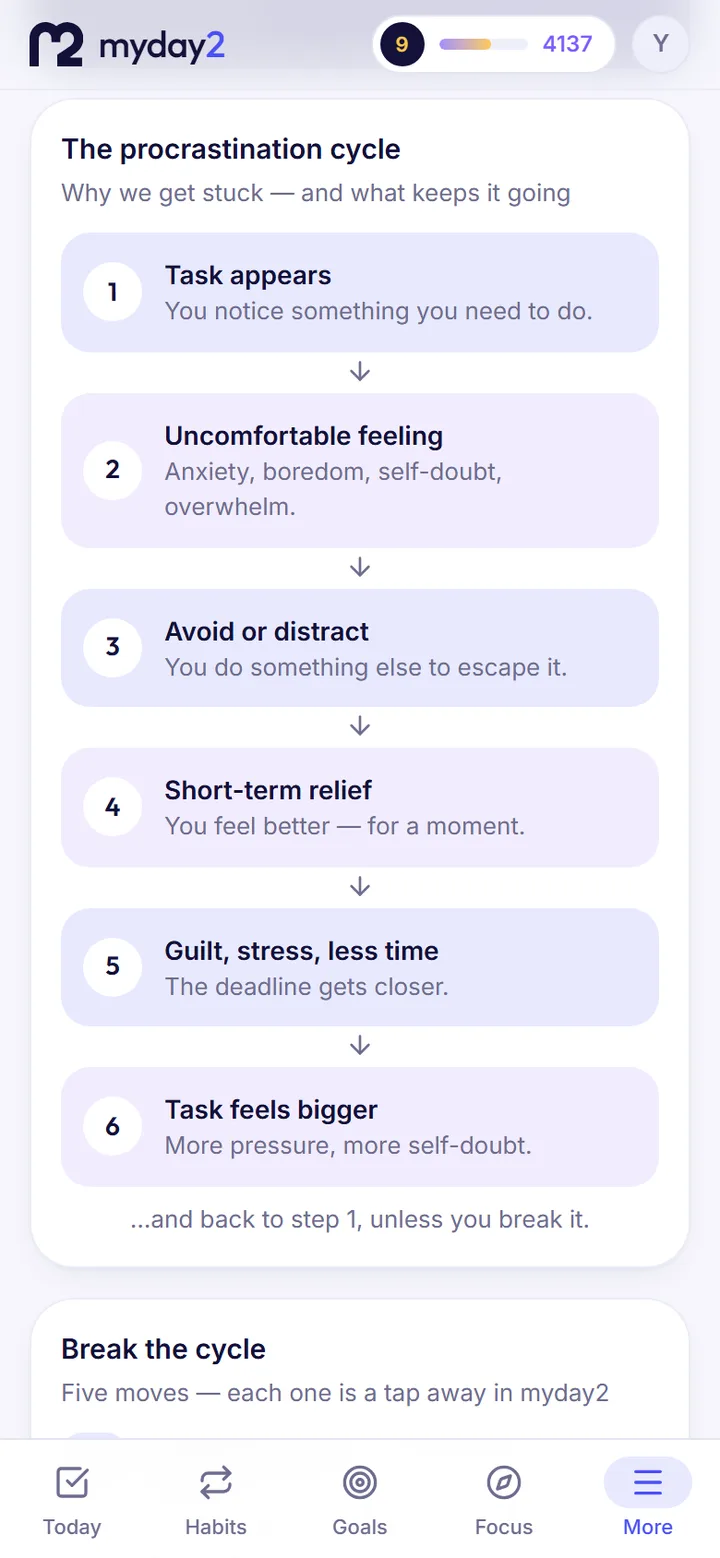
Procrastination isn’t laziness. It’s a loop.
Psychologists describe procrastination as choosing short-term mood repair over long-term goals. Each turn of the loop makes the next one harder.
- A task appearsSomething needs doing.
- It feels uneasyAnxiety, boredom or doubt.
- We avoid itScroll, snack, tidy.
- Brief reliefWe feel better, for a moment.
- Guilt buildsThe deadline gets closer.
- It feels biggerAnd the loop restarts.
“Often about managing feelings, not time.”Summary of Sirois & Pychyl, 2013
Most planners treat this as a scheduling problem and add more lists and reminders.
myday2 treats it as a human one: name the feeling, shrink the task, and start with two minutes.
Three moments you might recognise.
Short stories about putting things off, and the small myday2 moment that helps. Best with sound on.
Six gaps most apps leave open.
Planning isn’t doing
Lists capture tasks well but rarely help you begin them. The list grows and the day stays the same.
Focus timer, the two-minute rule and an energy-aware order.
Feelings come first
We avoid tasks because of how they feel, yet tools never ask how you feel before telling you what to do.
An “I’m stuck” coach that starts with the feeling.
Motivation fades
January energy is usually gone by February. Without a way to restart it, good plans quietly stop.
Spark notices a slump and suggests what helps.
All-or-nothing streaks
One missed day breaks the chain and people quit. Habit research found a single missed day barely matters.
Forgiving streaks and planned rest days.
The guilt spiral
Self-criticism feels responsible but feeds the loop. Self-forgiveness is linked with less procrastination later.
Move or let go of tasks without red overdue lists.
Going it alone
Goals are easier with other people, but most planners are solitary and spread across several apps.
One place, plus challenges with friends.
Plan. Start. Keep going. Level up.
Four simple habits, built into one calm app.
The 70-second tour. Captions on screen, no sound needed.
A to-do list that works like a bullet journal.
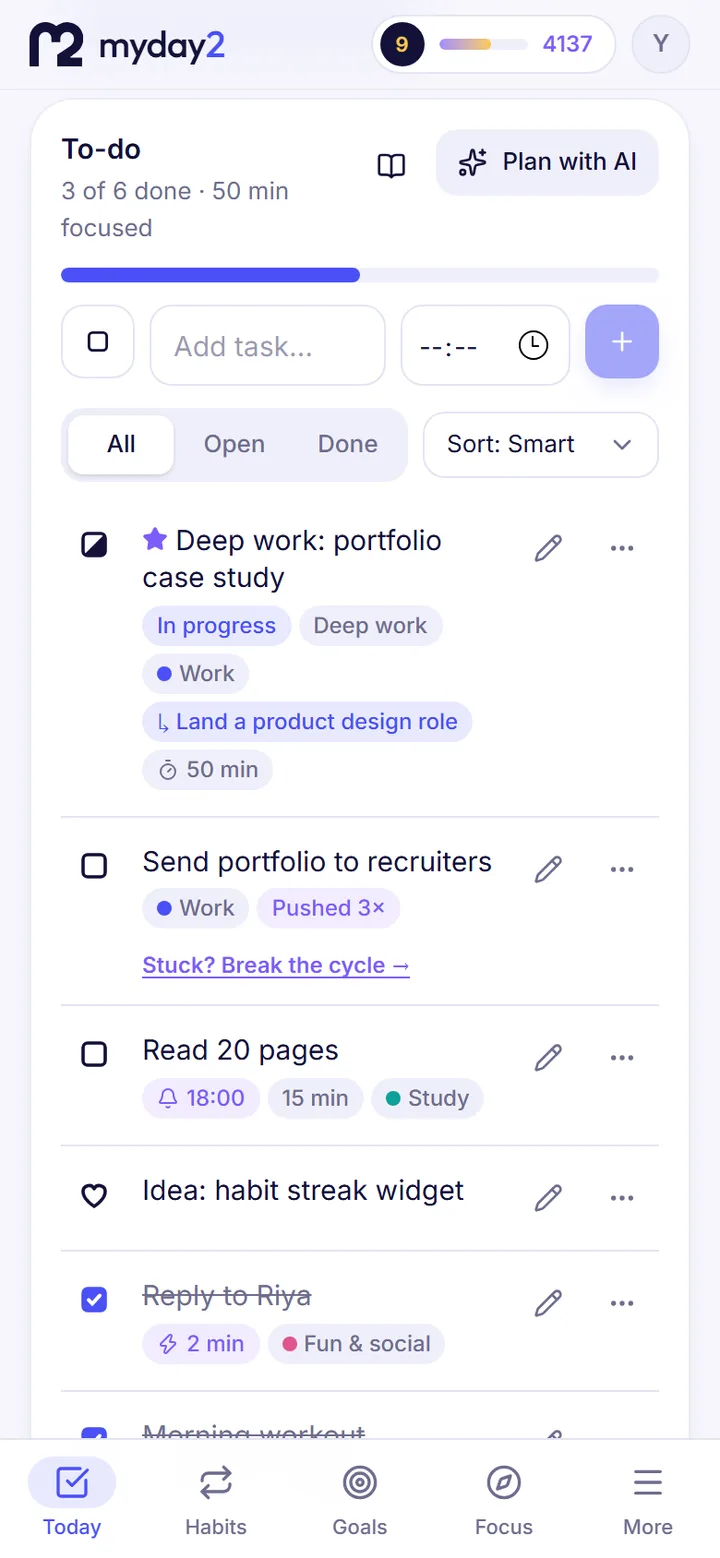
Capture tasks, events, notes and ideas with familiar journal symbols. Link each task to the goal it serves, and let the list sort itself around your energy.
- Delay or migrate tasks in one tap, with yesterday’s leftovers brought forward.
- Smart order: deep work in the morning, quick wins after lunch.
- Edit anything: text, time, due date, effort and life area.
Begin, even when you don’t feel like it.
When a task keeps getting pushed, myday2 notices. Name what you feel, and it suggests the smallest useful step, or starts a two-minute timer for you.
- Focus sessions of 2, 15, 25 or 50 minutes that follow you across the app.
- AI breaks a big task into tiny, concrete steps.
- Two-minute tasks are flagged so they never pile up.
Motivation that shows up when yours doesn’t.
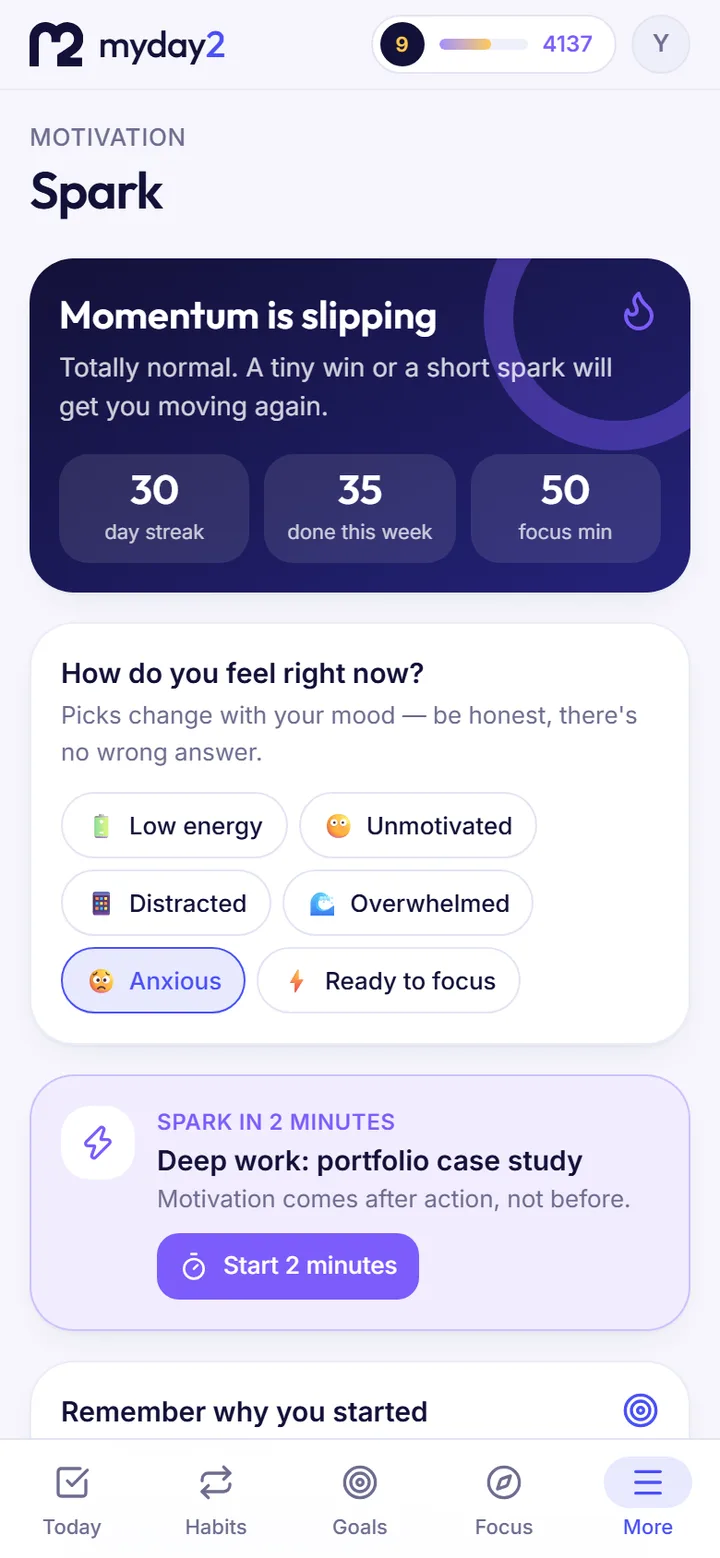
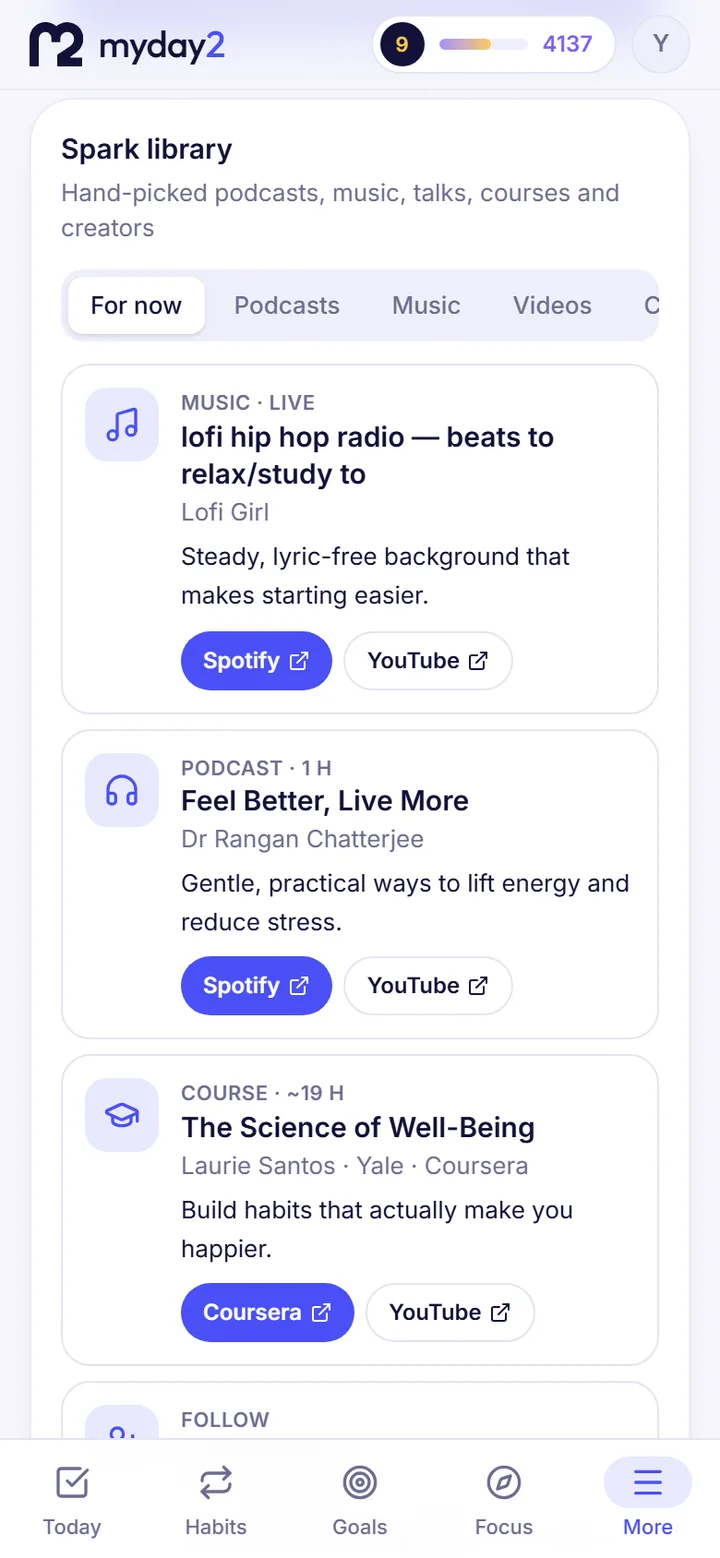
Spark reads your recent momentum. When it dips, it offers a podcast, playlist, talk, course or creator matched to how you feel and what you’re working toward.
- A two-minute starter task and a reminder of why you began.
- A gentle reminder if you haven’t opened the app in two days.
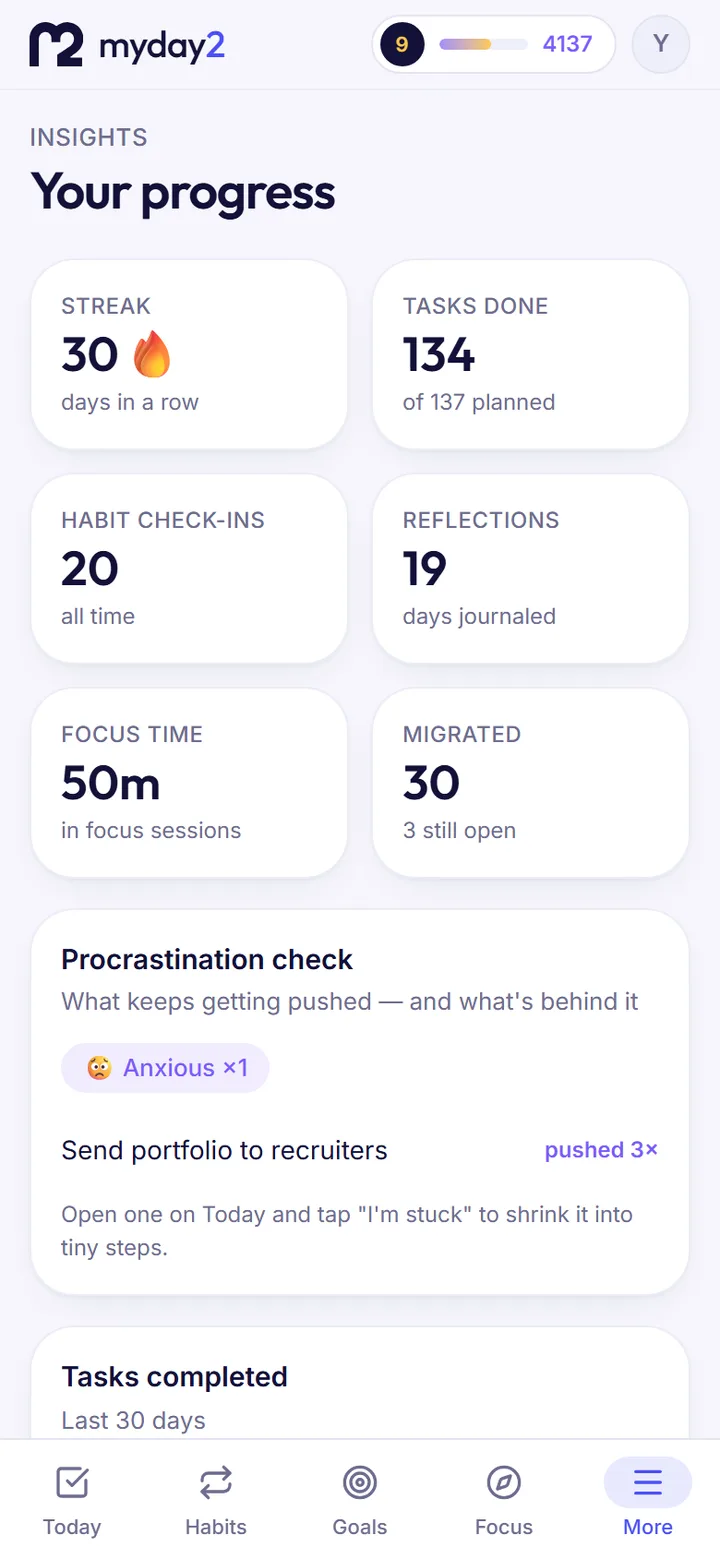
- Insights that show what keeps getting postponed, and why.
Turn real progress into a game. If you want to.
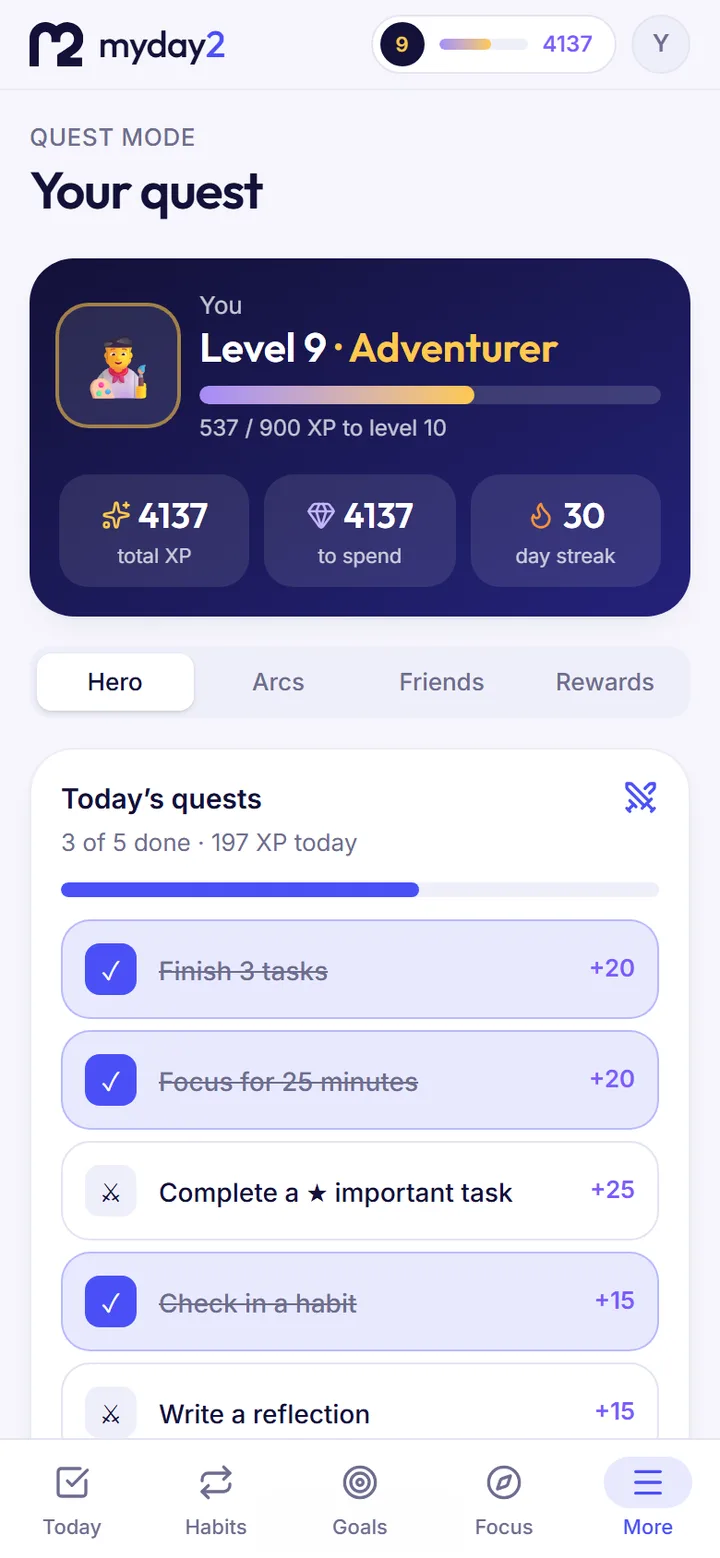
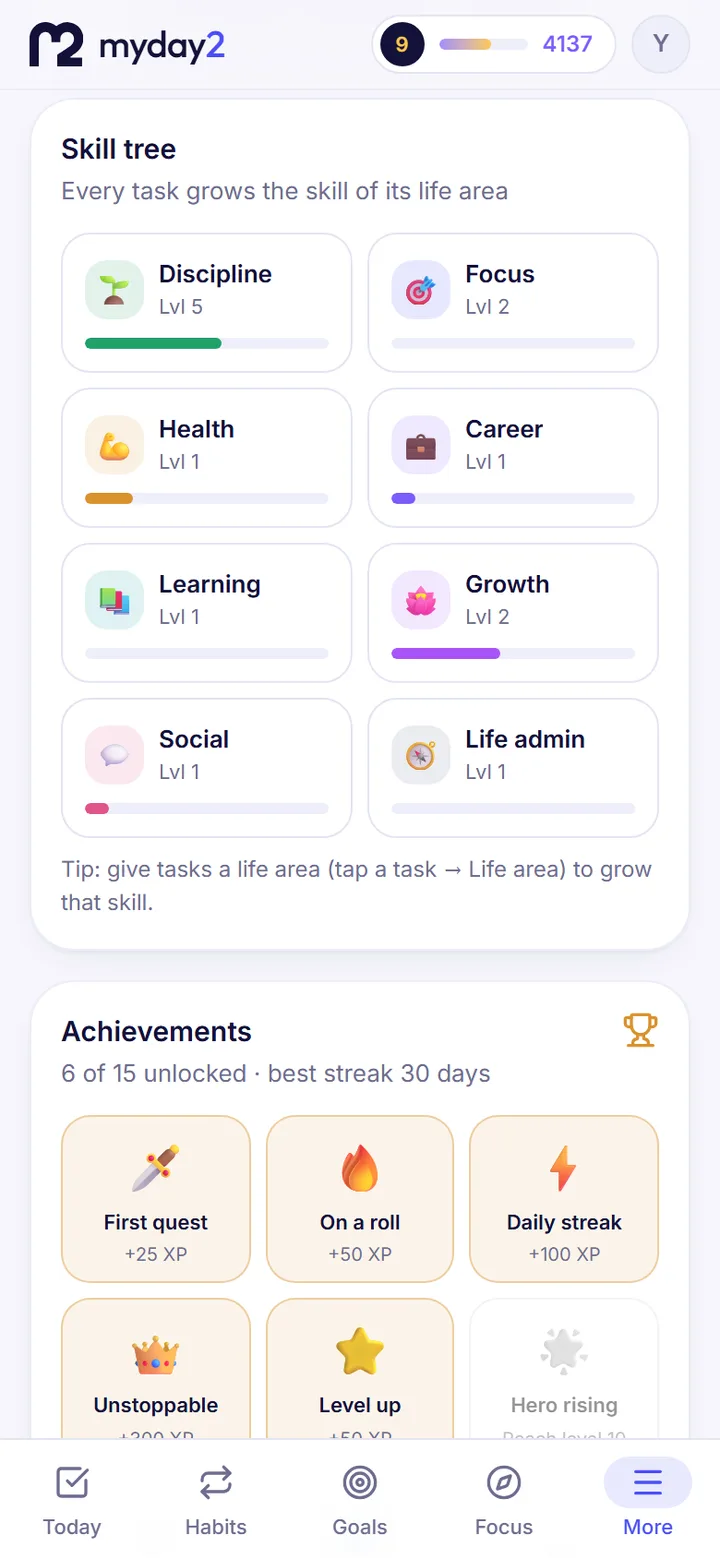
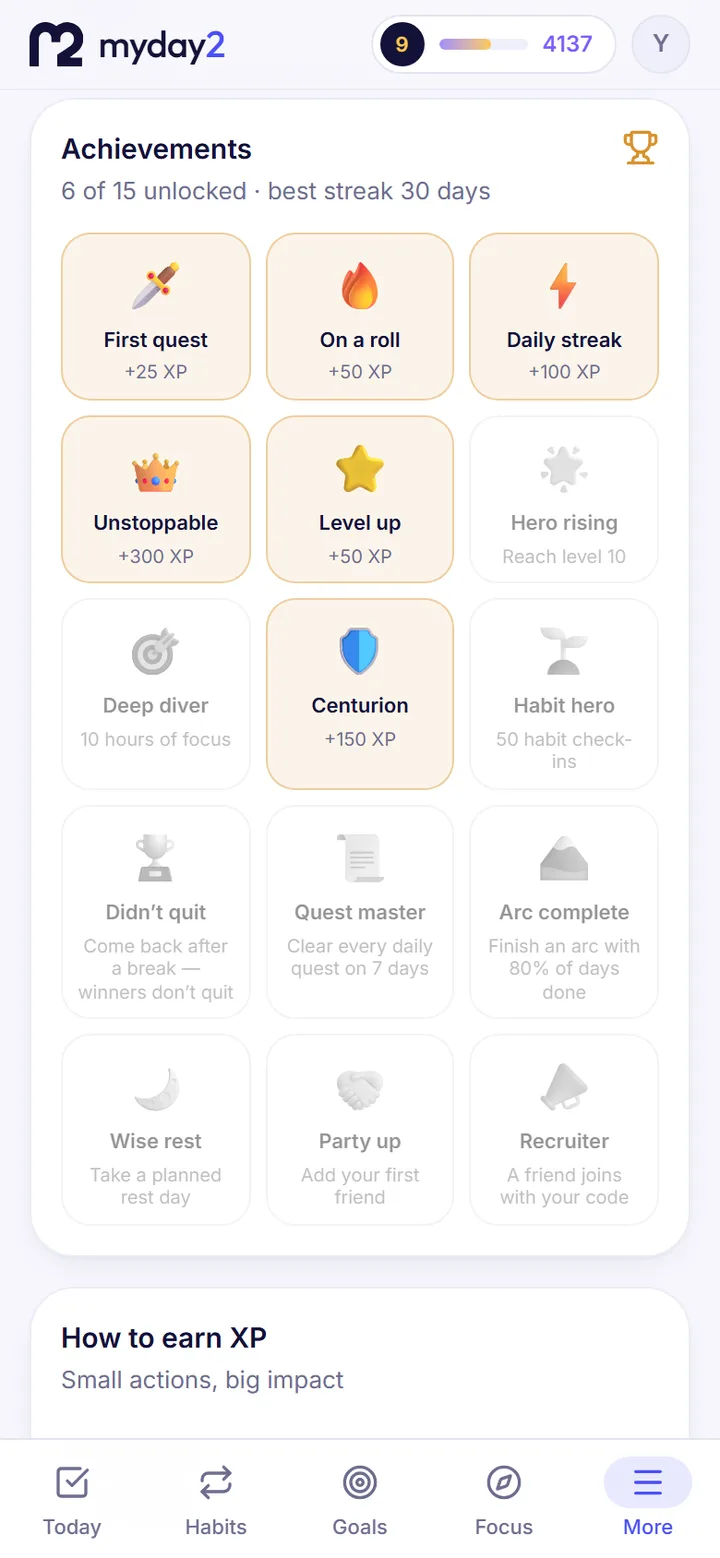
Switch on Quest mode and everything you already do earns XP. Grow your skills, clear daily quests and unlock achievements, including one for coming back after a break.
- Skills for Focus, Discipline, Health, Career, Learning and more.
- A rewards shop with treats you choose yourself.
- Rest days protect your streak. No XP is ever lost.
The tools of five apps, in one place.
Use as much or as little as you like. The planner works on its own; motivation and gamification are optional.
myday2 in 30 seconds or less.
Quick looks you can share with a friend who needs a nudge.
Calm by design.
Every feature has a reason.
We turned well-studied findings from psychology into simple, everyday actions.
Plans with a when and a why work better
Across 94 tests, specific if-then plans had a medium-to-large effect on reaching goals. Later bias-corrected analyses suggest a smaller, still positive effect.
In myday2: tasks have a time, a reminder and a linked goal.
Gollwitzer & Sheeran, 2006Habits take weeks, and forgive a missed day
New habits took a median of 66 days to become automatic, ranging from 18 to 254, and missing a single day did not meaningfully hurt progress.
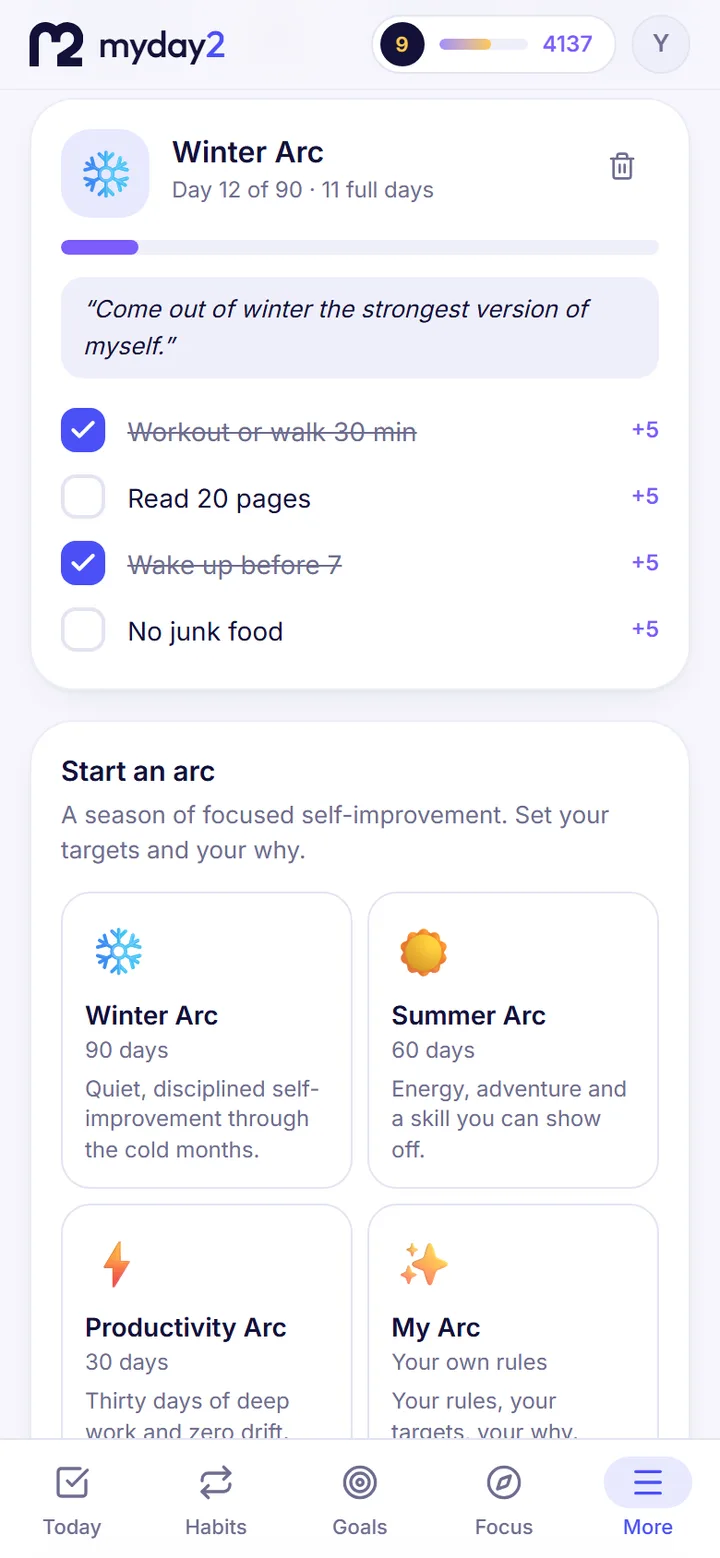
In myday2: forgiving streaks, rest days and 21 to 90 day arcs.
Lally et al., UCL, 2009Self-forgiveness reduces later procrastination
Students who forgave themselves for procrastinating before one exam felt less negative and procrastinated less before the next.
In myday2: move or let go of tasks, without guilt.
Wohl, Pychyl & Bennett, 2010It’s mood repair, not laziness
Procrastination is linked to putting short-term mood ahead of long-term goals, so the fix starts with feelings.
In myday2: the “I’m stuck” coach names the feeling first.
Sirois & Pychyl, 2013Attention is fragile
People typically switch screens in under a minute, and recovering from an interruption can take a long time.
In myday2: one task, one timer, on every screen.
Gloria Mark, UC IrvineGames help, especially social ones
A meta-analysis found small positive effects of gamification on motivation and behaviour, with social interaction among the factors that strengthened behavioural effects.
In myday2: optional Quest mode with friends and arcs.
Sailer & Homner, 2020How myday2 compares.
Based on what each type of tool typically offers.
| Feature | myday2 | To-do apps | Habit trackers | Paper journal |
|---|---|---|---|---|
| Daily planning with journal symbols | Yes | Yes | No | Yes |
| Move unfinished tasks forward | One tap | Manual | No | Rewrite by hand |
| Help when you’re stuck | Yes | No | No | No |
| Built-in focus timer | Yes | Some | No | No |
| Habits, goals and long-term plans together | Yes | Some | Habits only | If you draw them |
| Motivation when energy drops | Yes | No | Streaks | No |
| Forgiving streaks and rest days | Yes | No | Rare | No |
| Challenges with friends | Optional | No | Some | No |
| Price | Free | Often paid | Often paid | Notebook cost |
Consistency is easier together.
Start a Winter, Summer or Productivity arc with friends, neighbours or the whole community. Set your own daily targets, check in each day and climb the leaderboard.
- Share your myday2 ID and add friends in seconds.
- Weekly leaderboards with the people you choose.
- Earn 100 XP for every friend who joins with your code.
Be one of the first 100.
Register and you’ll get a personal code. Enter it in the app to become a founding member, and we’ll let you know the day myday2 arrives on Google Play.
- Premium free for 12 months after it launches, for the first 100.
- A launch alert when the Android app goes live.
- First access to new features such as health-app sync.
- A founding-member badge in the app.
Founding spots are open.
You’re in.
Founding member
Save this code. It works once, on your account.
- Open myday2.
- Go to More, then Premium & early access.
- Enter your code and tap Redeem.
Start free. Upgrade when you’re ready.
Everything on this page is free today. Premium will add automatic syncing and power features.
Free
Available nowThe complete daily planner.
- Planner, habits, goals and trackers
- Focus timer and “I’m stuck” coach
- Spark motivation library
- Quest mode, arcs and friends
- AI with your own free Gemini key
Premium
Coming soonor ₹799 per year, about 33% less.
- Everything in Free
- Health app sync: Google Fit, Samsung Health, Fitbit
- Automatic screen time and statement import
- Unlimited AI coach, no key needed
- Deeper insights, themes and widgets
Founding member
First 100Premium, free for a year after launch.
- Everything in Premium
- Founding-member badge
- First access to new features
- Launch alert for Google Play
Payments open at launch: UPI, cards, netbanking and wallets on the web, and Google Play billing in the Android app.
What’s coming next.
Founding members get every new feature first.
Google Fit, Samsung Health, Fitbit and more through Android Health Connect.
NextYour habit tracker updates itself on Android.
NextUpload a bank or UPI statement and your spending is sorted for you.
PlannedDaily plans, tiny steps and weekly reports without your own key.
PlannedLong-term trends, your best days and a year in review.
PlannedWith a future iPhone app. Until then, iPhone users get the full web app.
ExploringIs myday2 really free?
Yes. Everything available today, including the planner, focus tools, Spark and Quest mode, is free and stays free. Premium (₹99 a month or ₹799 a year) will add automatic syncing and power features later. AI features use Google Gemini; on the web you add your own free key in Settings.
What is the founding code?
When you register for early access you get a personal one-time code, such as M2-7KQ2MX. Enter it in the app under More, then Premium & early access. The first 100 people get Premium free for 12 months after it launches.
When will myday2 be on Google Play?
Soon. Register for early access and we’ll email you the day it goes live. Until then, use myday2 in your browser on Android or iPhone.
Do I need an account?
No. Continue as a guest and start in seconds. When you’re ready, save your progress with Google or email and everything comes with you. You can also keep all data on your device with offline mode.
Does it work on iPhone?
Yes. Open myday2 in Safari and add it to your home screen. It works on iPhone, Android, Windows and Mac.
Is my data private?
Your tasks, notes, reflections, habits and photos are visible only to you. If you join the community, friends see only your name, avatar, level, XP and streak. You can delete your account and all data at any time in Settings.
Do I have to use the game features?
No. Quest mode is optional. The planner works exactly the same with it switched off.
Your future self is waiting.
Start with one task. Finish it. Notice the difference today.